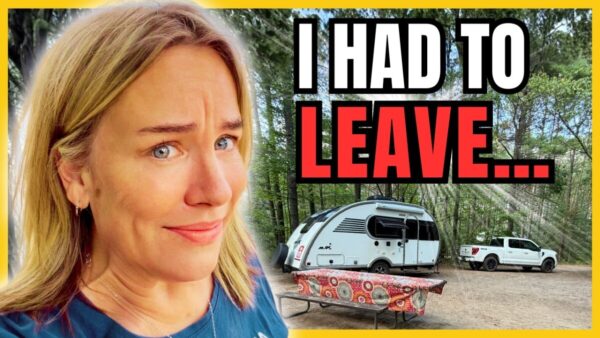
I stared at a map of the United States for two months trying to plan our first trip as full-time RVers. I thought this would be the fun part! But every time I opened the map, I had the same question. Where do you even start when there are thousands of places you could camp?
Then I tried something that got me unstuck. I used ChatGPT to sketch out the route and The Dyrt PRO to put it on a map and scout campsites. About 30 minutes later, I could see our entire summer route and had camping spots I was genuinely excited to visit.
If you’re looking for a simpler way to plan an RV trip, here’s what I did and how you can adapt it to the way you like to camp.
Start your RV trip plan with the places and experiences you care about
I told ChatGPT we planned to leave June 1, 2027, in our 21-foot camper and start near the Badlands in South Dakota. I wanted to visit my dad near Mesa, Arizona, and spend Christmas week near family in Texas. Then I described what would make the trip feel like ours.
I love quiet boondocking spots, camping by the water, and hikes that end at a waterfall. We prefer to spend a week or two exploring an area, and we’ll want a campground with showers now and then. I also gave it a very real limit. If there’s no campground bathroom, we can go about four nights before we need a dump station.
That’s the part I’d encourage you to make your own. If your ideal trip includes full hookups, small towns, and short driving days, put that in your request. Those details give ChatGPT something to work with when it suggests where to go and how long to stay.
A ChatGPT prompt you can adapt for your own RV trip
Help me plan an RV trip in my [camper length and type]. I’m leaving [starting location] on [date] and traveling for [length of trip]. I need to be near [must-visit places] on [dates].
I enjoy [camping style and activities], prefer to stay [number of nights] in each area, and would like to keep most drives under [number of hours]. Work around [weather preferences, pet needs, hookups, showers, or dump station needs].
Break the route into dates or seasons, suggest nearby towns and camping areas to scout, and tell me why each stop fits what I like to do. Flag details I should verify before I go.
Ask why each stop belongs on your route
It took me about five minutes to write down what I wanted and less than three minutes to get a draft itinerary. Seeing the year divided into dates and seasons made it feel manageable. I could look at the first week of June on its own, then see how the rest of the summer fit together.
What really got my attention was why it suggested each stop. Cody, Wyoming, came with a reason I could picture: river scenery, canyon drives, reservoir views, and a chance to stock up before Yellowstone. Near Wall, South Dakota, it suggested scouting Buffalo Gap National Grassland, where I’ve camped before and loved the dramatic views.
I asked for a year on the road. The summer was the part I mapped in about 30 minutes. Having a draft route gave me a starting point for picking individual campsites.
Map your RV route and scout campsites with The Dyrt
I opened the RV Trip Planner in The Dyrt PRO, started a blank trip, entered my start and end points, and added my camper details. I selected my preferences to avoid tolls and ferries. Then came my favorite part: deciding where we might actually camp.
Devils Tower: Look up a campground by name
ChatGPT suggested Belle Fourche Campground at Devils Tower. When I pulled it up in The Dyrt for the video, it had a 4.8 rating from 64 reviews. I checked the listing for RV site types and saw it was marked first come, first served. That’s a detail I’ll want to check again before deciding when to arrive.
I skimmed the review summary and looked through photos shared by campers. I like seeing how much space there is between sites and what the view looks like from the campground. Then I saw Devils Tower in the photos and thought, “I’m finally going to see it!” That one went on the map.
Yellowstone: Search an area when you don’t have a campground in mind
For Yellowstone, ChatGPT suggested scouting lower-elevation camping outside the park. I searched around Gardiner, Montana, and the map filled with pins. To make the list manageable, I looked for public campgrounds and free dispersed camping, entered my camper length, started with ratings of four stars or higher, and selected pet-friendly options. Thor’s coming, too!
From there I could compare photos and reviews quickly. I checked out a dispersed option near West Yellowstone, but I kept coming back to Beaver Creek Campground. The mountain views got me, and campers mentioned seeing moose right in the campground. I went looking for boondocking and ended up adding a campground I could already picture waking up in.
That’s how I use a map pin. It gets a place onto my shortlist. The reviews and photos help me decide whether I’m excited enough to look into access, site size, and availability.
What I check before turning a pin into a camping plan
I’ll check the campground or land manager’s information before I head out. For a campground, I want to know whether I need a reservation, when it opens, and whether the site will fit my trailer. For dispersed camping, I check where camping is allowed, what the access road is like, and where I can get water or dump my tanks.
I used ChatGPT Plus for the route draft and The Dyrt PRO for the mapping you see in the video. You can start by trying the prompt in free ChatGPT, then decide how you want to map and research the stops. The same approach works for a long weekend or an entire summer.
✅ Get ChatGPT here: https://chatgpt.com/pricing/
✅ Get the Dyrt App here: https://geni.us/bXA59